You do not need a lab to run a beep test. You do need a lane that is the right length, a floor that is safe to turn on, and a plan for the audio. Sort those out first and the run itself is the easy part.
Checklist
- Two lines, measured 20 metres apart
- A floor you can stop and turn on, with space behind each line
- One audio track, loud enough to hear while running
- Someone, or something, to count
Measure the lane
Mark two lines 20 metres apart, with enough room behind each one to turn. A tape measure is better than pacing it out. “About 20m” is easy to fudge in a corridor, and a lane that is a metre short quietly changes every score you record. If you want the lane in yards or feet, or how far you end up running at each level, see beep test distance.
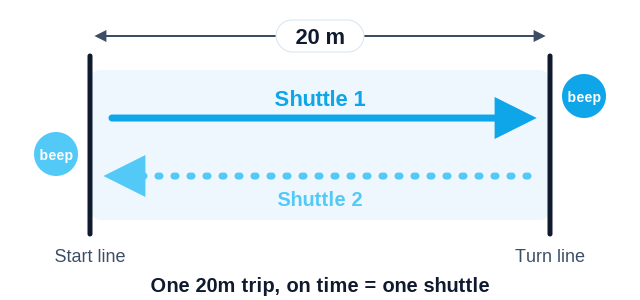 One trip from line to line, before the beep, is one shuttle.
If you have no tape, BeepRun’s AR can help you mark about 20 metres on the ground. Treat that as a guide, not an official measurement. Use the same lane each time so results stay comparable.
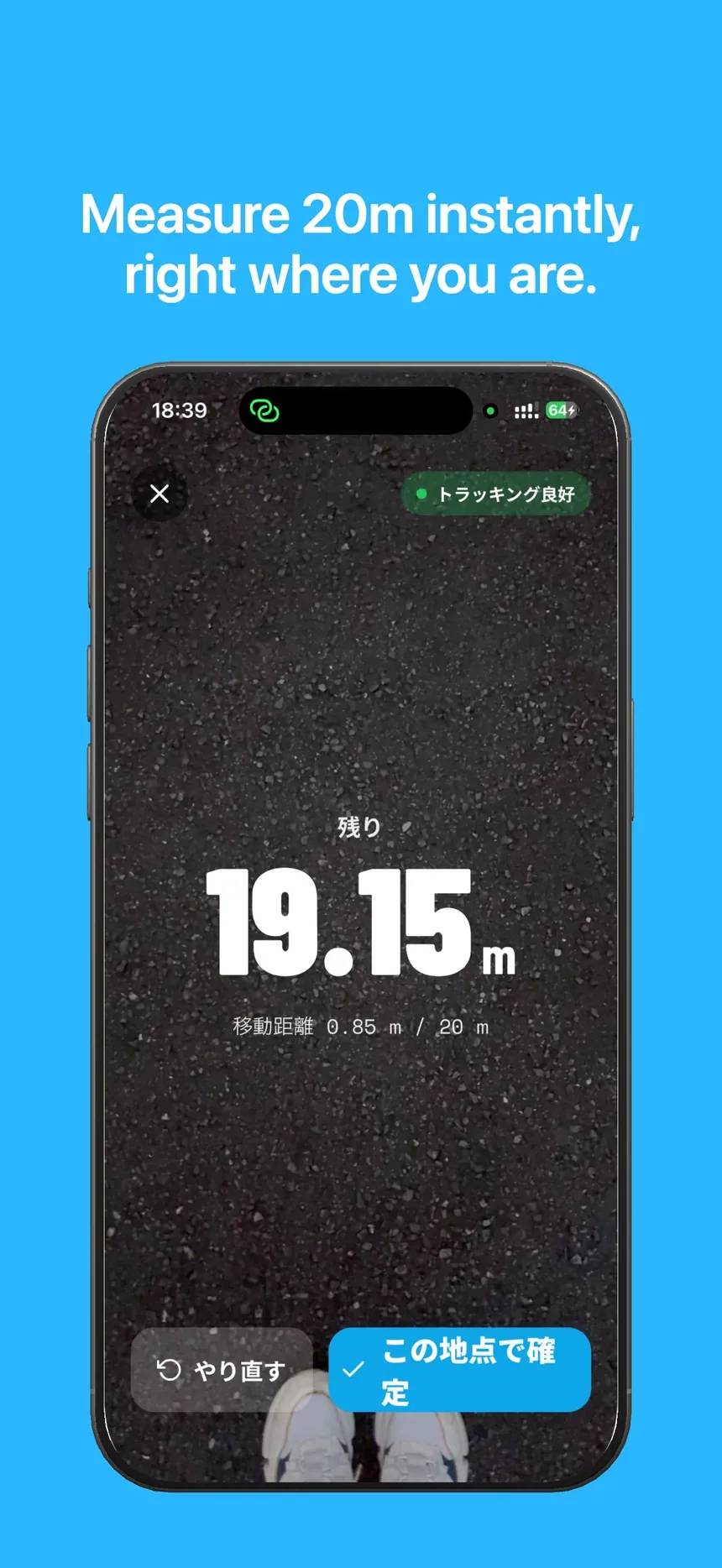 AR gives you a guide to about 20 m. For a test that counts, measure with a tape.
Check the floor
Look for a surface you can stop on. A gym floor with good grip is ideal. Grass can work if it is dry and flat; the beep test for soccer players covers marking a lane on a field and turning in boots. Dust, wet patches and polished paint make the turns slippery, and you will feel it most in the later levels, when the turns come fast.
Leave a clear space beyond each line so a late stop does not put you into a wall. Wear shoes that grip.
Choose the audio
The timing can differ slightly between recordings, so pick one and keep using it. Beep test audio explains why versions differ and what to check before you press play. If you are training for a test with a known recording, use that one. The rules of the run are in how the 20m beep test works.
Play the audio loud enough to hear over your breathing and your shoes. BeepRun plays the beeps for you and keeps the sound going with the screen off.
Decide who counts
Counting shuttles in your head while you run is a good way to lose track. Ask a friend to count, or let an app do it. BeepRun counts shuttles and levels from the audio and keeps a record, so you can compare sessions later.
It does not watch your feet. Whether you actually reached the line is still down to you, so be honest about it. If you want to know what the final number means, see beep test levels.
Before you start
Warm up properly. This warm-up guide covers what to do and for how long. A full test is a maximum effort, so if you feel unwell, skip it. If you have a medical condition, talk to a doctor or qualified coach first.
Quick answers
How long should the lane be?
Twenty metres between the two lines. Measure it with a tape if you can, because a guessed lane makes your scores hard to compare later.
What floor is best for a beep test?
One where you can stop and turn without slipping. A dusty or polished surface makes every turn a small loss, so check it before you start.
Do I need someone to count for me?
Not necessarily. Counting while you run is easy to lose track of, so some people hand it to another person or an app. BeepRun counts shuttles and levels from the audio, but it cannot see whether your foot reached the line.